Guide
Phase budgets
Phase budgets you can check every week
Your team already enters hours by project and phase. If the fee by phase lives in a separate spreadsheet, we connect the two, so you see where each phase stands every week, not at invoicing.
Opens your email app. Or write to vaughn.workflowaudit@gmail.com . One line is enough. No attachments, passwords or client files.
The job as you live it
Steps from our sample map of a made-up firm.
- Friday: staff enter hours in the accounting tool.
- Monday: the office manager chases missing timesheets.
- Tuesday: someone exports an hours report for each project.
- Tuesday: they copy the hours into the principal's fee spreadsheet, phase by phase, looking up each person's rate.
- Wednesday: project managers compare fee used with how done they think the phase is.
- Month end: invoices go out by phase, and an overrun shows up weeks after it started.
Where the time goes
Copying hours from one place to another, looking up rates, and chasing timesheets. The bigger cost is timing: in the sample map nobody sees an overrun until invoicing, when staffing for that phase is already spent.
What the fix usually looks like
- A list of missing timesheets goes to the office manager on Friday.
- On Monday morning, a page reads the hours export, applies rates and the fee for each phase.
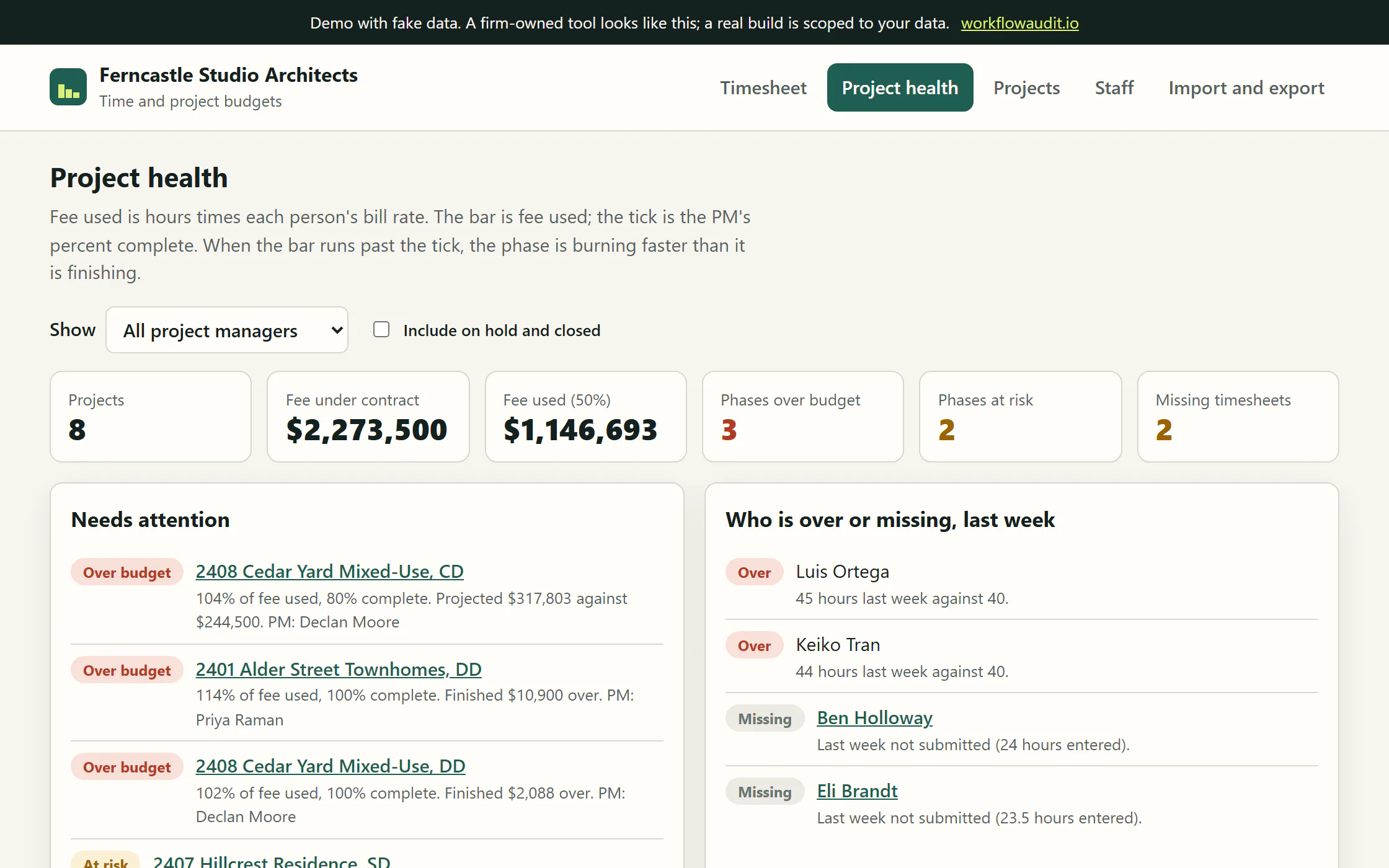
- One view per project: fee used against fee by phase, with phases near or over budget marked.
- The project manager enters percent complete, and the principal sees one list of phases at risk before the staffing call.
What stays: time entry, invoicing, payroll, the general ledger and payments.
The piece we would get working
The weekly phase check. It reads your weekly hours export, so nobody copies hours by hand. You can try a version of it now on a made-up firm: Open the time and budget demo. It runs in your browser with fake data and sends nothing anywhere.
Guides
FAQ
Questions
Do we have to replace Ajera, BQE Core or Monograph?
No. If your tool can export hours as CSV or Excel, the weekly check reads that file. Time entry and invoicing stay where they are.
What if our fees by phase are only in a spreadsheet?
Then we start from that spreadsheet. We read it as it is and set up the phase fees once.
Who sees the numbers?
Whoever you choose. It runs in an account your firm controls, and every view exports to CSV.
How do we know it is right?
It runs next to your current spreadsheet for 4 weeks. Same week, both numbers, and any difference is listed.
What does it cost?
We talk about cost on a short call, once we have seen your Monday spreadsheet.
Tell me how your firm does it now
Opens your email app. Or write to vaughn.workflowaudit@gmail.com . One line is enough. No attachments, passwords or client files.